
See what Kwill actually feels like.
Not a feature list, a walk through the product itself. What you build, what your client opens, and what happens after they say yes.
Three parts. One place to log into.
The portal your client opens, the workflow that moves the paperwork along behind it, and the thread you both talk in. You never think about them separately.
The Client Portal
Your clients never log into a generic tool. They get a portal that looks and feels like your brand — your logo, your colors, your domain. First impressions are everything.
Explore the client portalThe Workflow Engine
Proposals flow into e-signed contracts. Contracts trigger invoices. Invoices collect payment. Every step is automated and connected — no copy-pasting between tools.
See the workflow engineThe Communication Layer
File sharing, project messaging, and real-time notifications — all tied to the project, not an inbox. Your client always knows where to look. So do you.
See messaging & filesThis is what your client actually sees.
Everything above is your side of the work. Here is the same project from theirs.
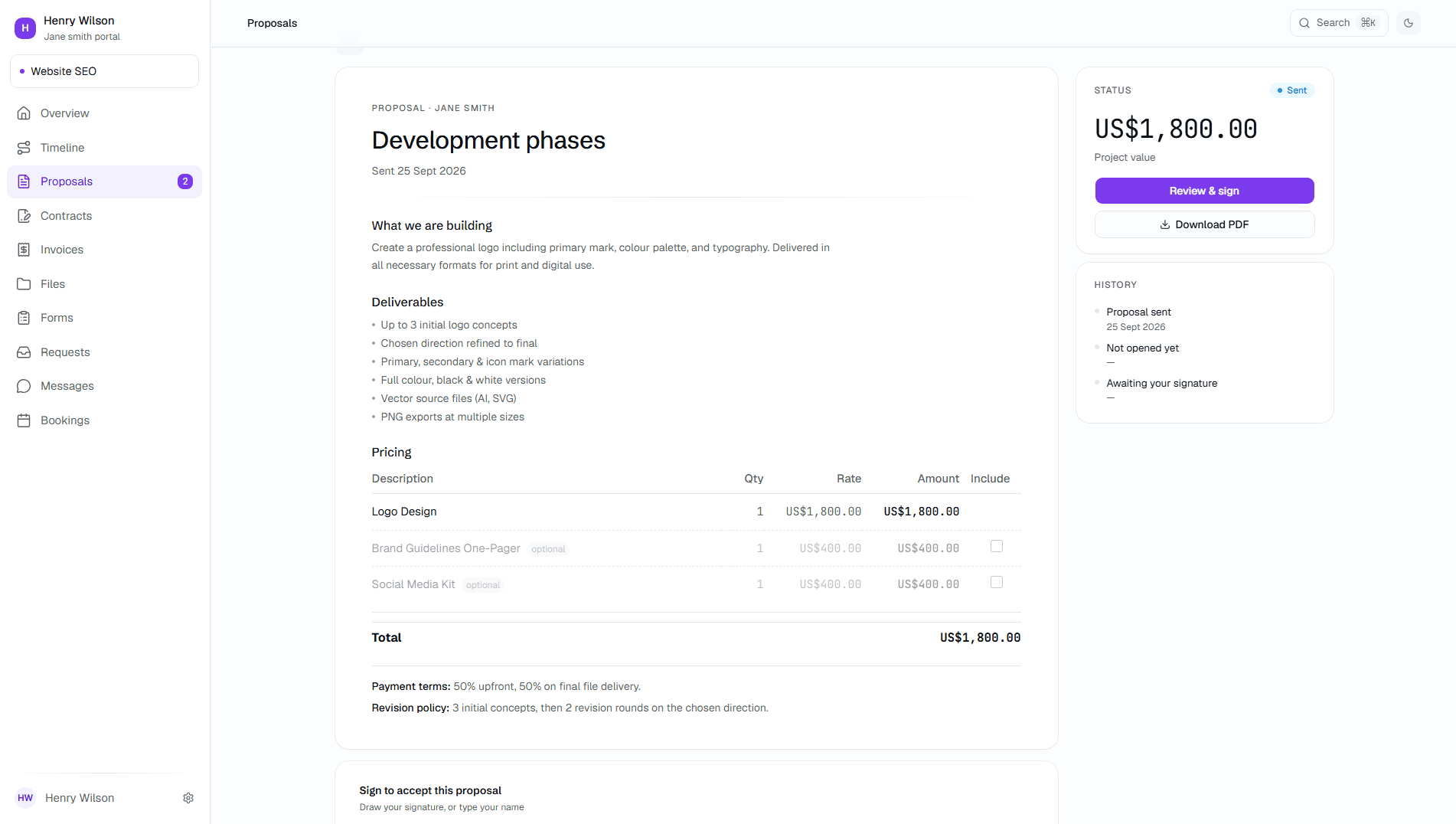
They open a link, not an attachment.
The proposal opens in the browser on your domain, with your scope, your pricing and your deliverables laid out. Optional line items can be toggled on and off, and the total updates as they do it.
- No account to create
- Works on their phone
- Accept in one click
.png&w=3840&q=75)
Your brand. Front and centre.
Other tools put their name on your work and charge you to remove it. Kwill puts your logo, your colours and your portal in front of clients from the very first plan, and your own domain from Studio plan up.
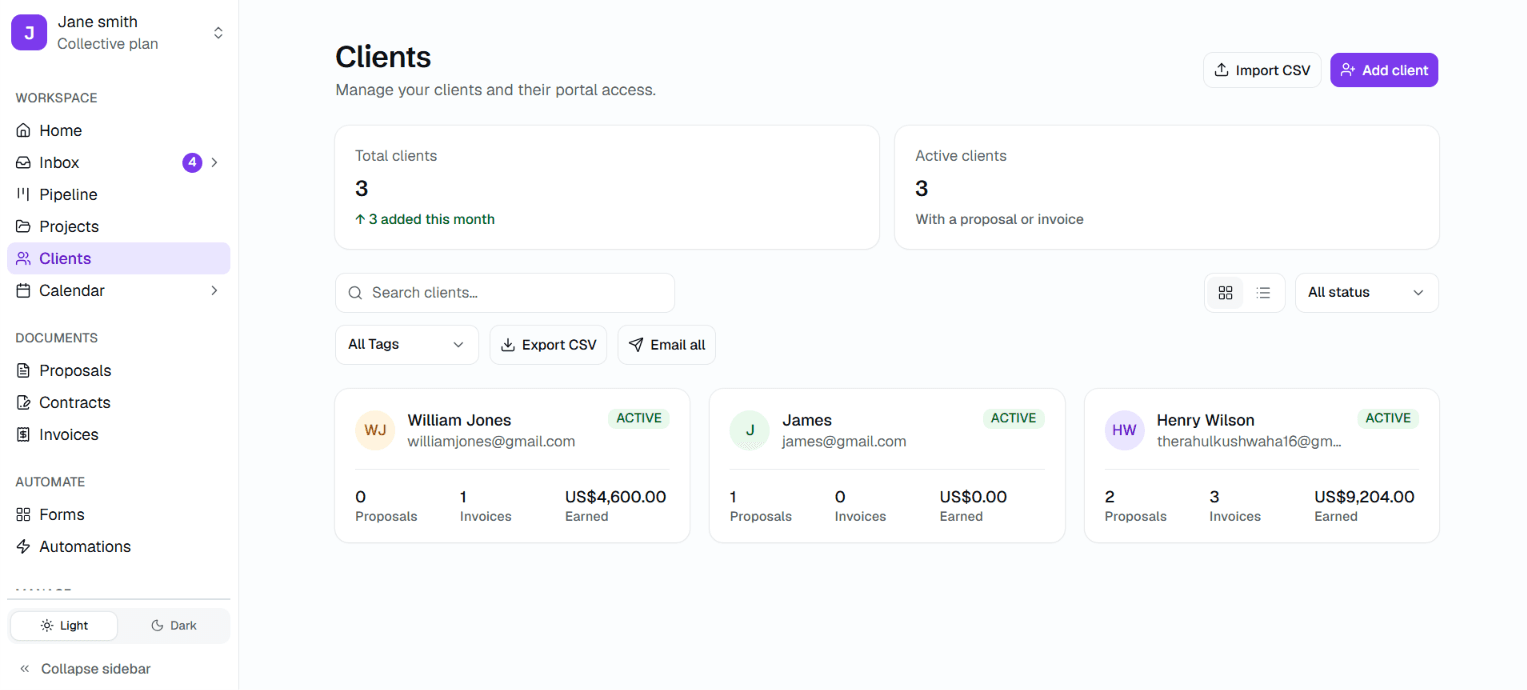
Twenty clients, still one screen.
Nothing to piece together at the end of the month, because nothing was ever apart.
Set up in minutes.
Start working today.
Dubsado's top complaint on G2 is weeks of setup. We measure it in minutes.
No credit card required.
Create your workspace
Sign up, pick your subdomain. Takes 2 minutes.
Upload your brand
Logo, colour, and your company name. Instant preview.
Connect Stripe
OAuth in one click. That's it — no API keys.
Send your first proposal
Use a template or build from scratch. Under 10 minutes.
The unglamorous half.
Client work means holding other people's contracts, files and money. Here is exactly what happens to them.
One client can never see another
Isolation is enforced by row-level security in the database, not by hiding things in the interface. A portal link forwarded to the wrong person still shows them nothing.
Card numbers never reach us
Stripe takes the payment and holds the details, in 13 currencies. All Kwill ever learns is that the invoice was paid.
HTTPS, including on your own domain
Certificates are issued and renewed automatically, on your own domain as readily as on ours. Nothing to configure, and nothing to forget to renew.
Deploys your clients never notice
We release continuously, with no maintenance windows. A client part-way through signing sees no interruption and no banner asking them to come back later.
How Kwill compares
Three differences that matter.
Look like an agency of ten, even if you're a team of one.
Free to start. Takes 5 minutes. Your brand, not ours — in any currency, from any country.