How it works

From sign-up to paid, step by step.

Kwill runs the whole client lifecycle in one portal. Here is exactly what you do at each stage, and exactly what your client sees.

The whole journey

Four phases. Ten steps. One portal.

Set up once, then run the same loop for every client you take on.

First proposal out in under 30 minutes.

Phase 1: set up

Four steps to a live portal.

Competitors measure this in weeks. Do it once, before your first client.

1

Pick your subdomain

yourname.usekwill.com goes live immediately. Custom domain on Studio and above.

2

Add your logo and colour

Your logo and colours on every page and every email. Custom domain on Studio and above.

3

Connect Stripe

One click, no API keys. Take payment in 13 currencies.

4

Add your first client

Invite by email. They get portal access with no account to create.

Already on HoneyBook, Dubsado, or Bonsai? Import your clients

Phases 2-4: the client lifecycle

Six steps, seen from both sides.

The same project, in your dashboard and in your client’s portal. Switch the view. The steps stay in step.

Step 01 of 06 Β· Send a proposal

01Phase 2 Β· Win the work

Send a proposal

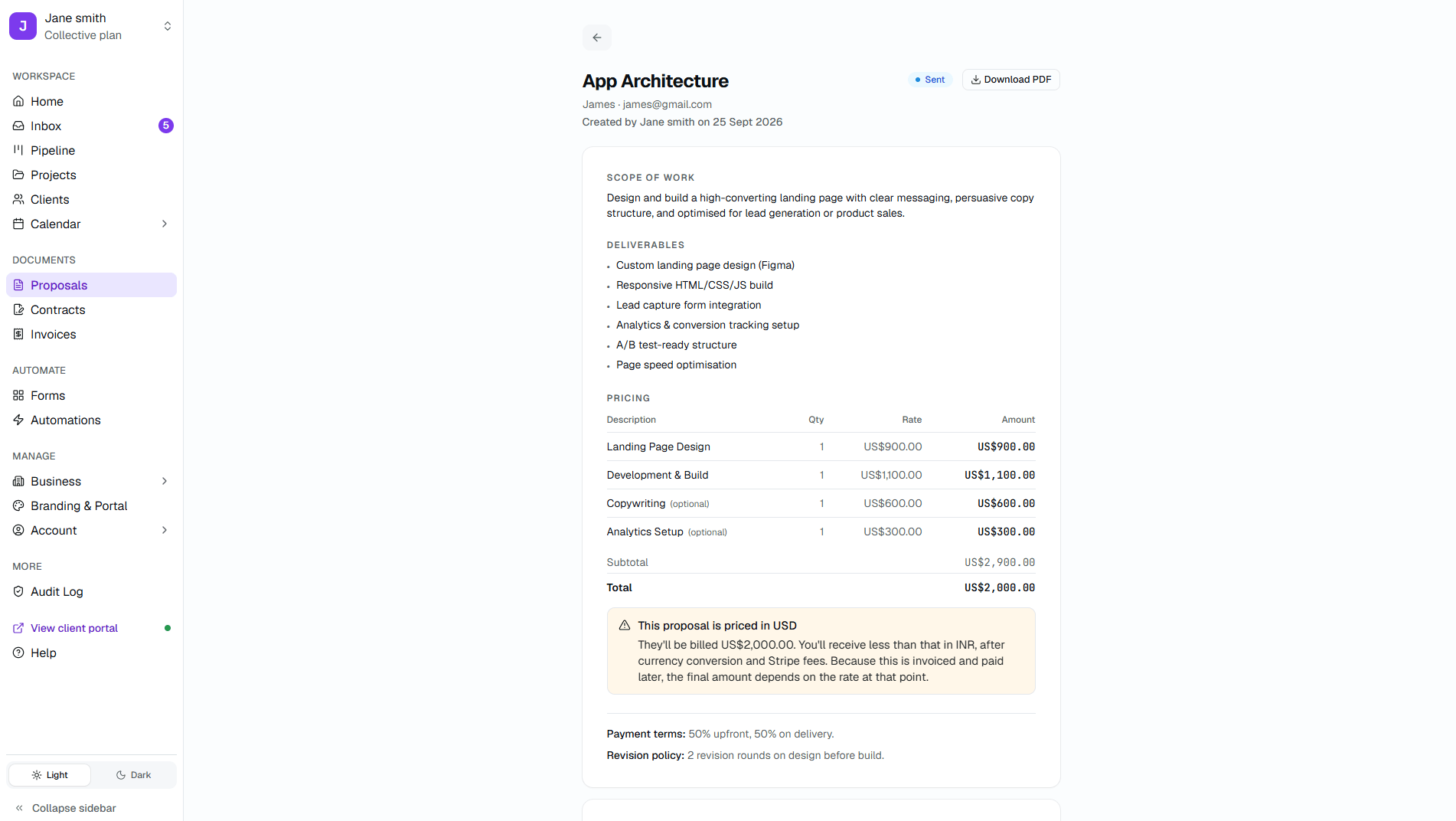
Build from your templates with pricing tables and optional line items, then share one link. Your client opens a document, not a PDF buried in an email thread.

  • Reusable templates
  • Version history
  • Optional line items
Kwill proposal detail showing scope of work, deliverables, pricing table, and sent status
Freelancer dashboard
02Phase 2 Β· Win the work

Get it signed

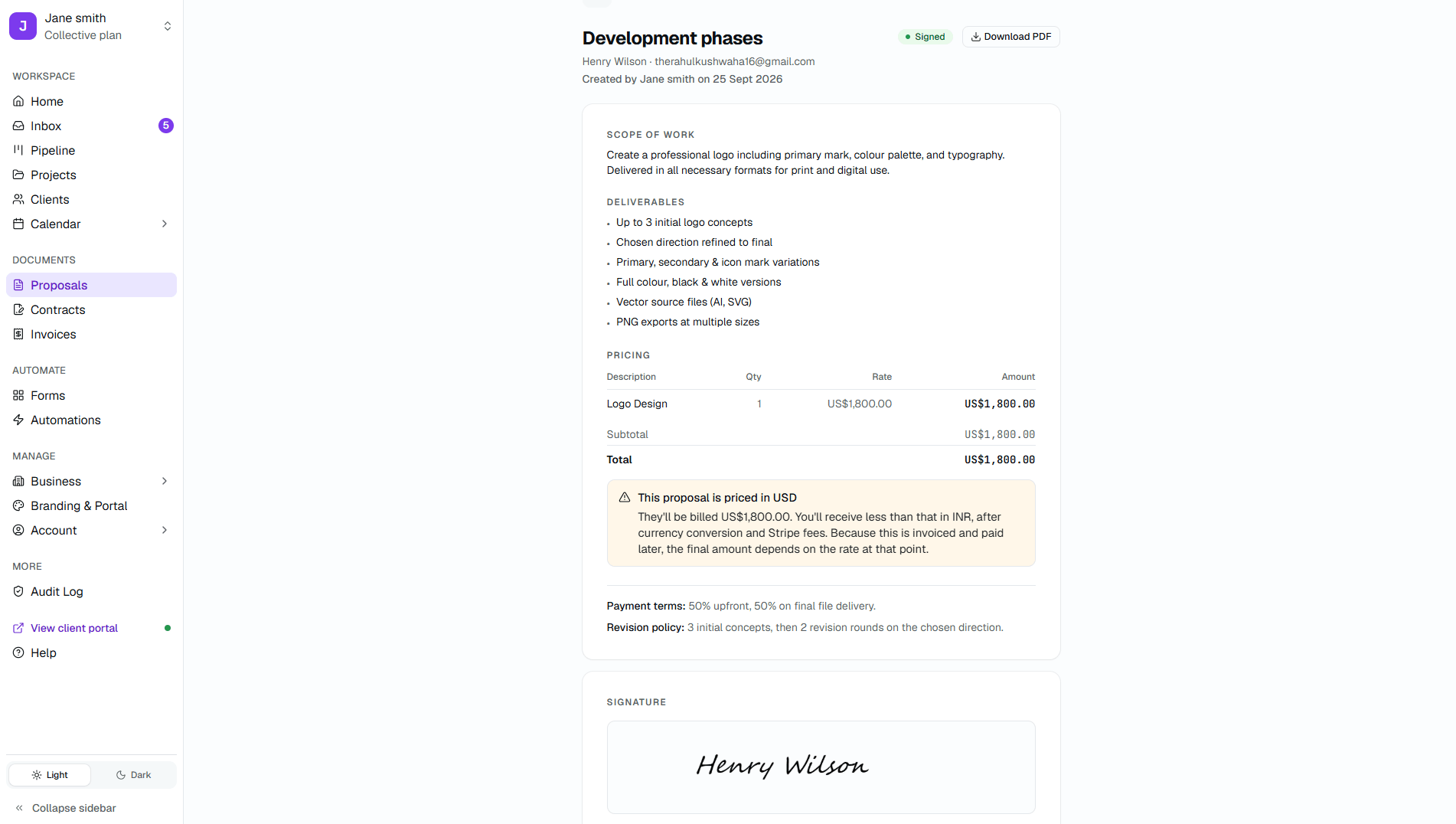
The moment a proposal is accepted it becomes a contract ready for signature legally binding under U.S. E-SIGN and EU eIDAS, with a full audit trail.

  • Timestamp + IP capture
  • PDF audit log
  • Auto email on signature
Kwill signed proposal showing scope of work, pricing, signature, and signed status
Freelancer dashboard
03Phase 3 Β· Get paid

Issue the invoice

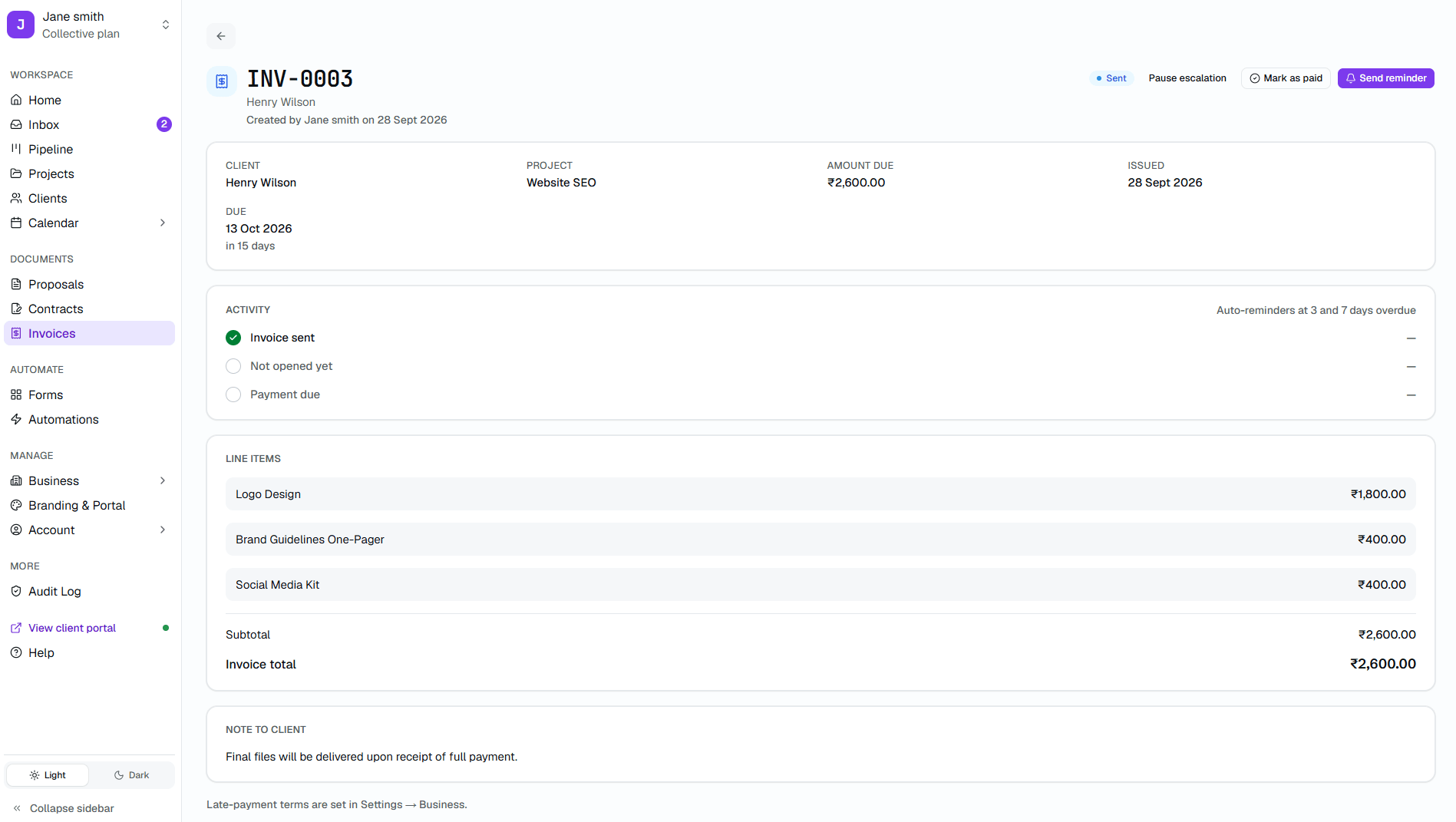
Generate the invoice from the accepted proposal in one click. Tax, discounts, and deposits are handled, and payment reminders send themselves.

  • Partial payments
  • Sales tax & VAT
  • Auto reminders
Kwill invoice showing line items, amount due, activity timeline, and payment link
Freelancer dashboard
04Phase 3 Β· Get paid

Get paid

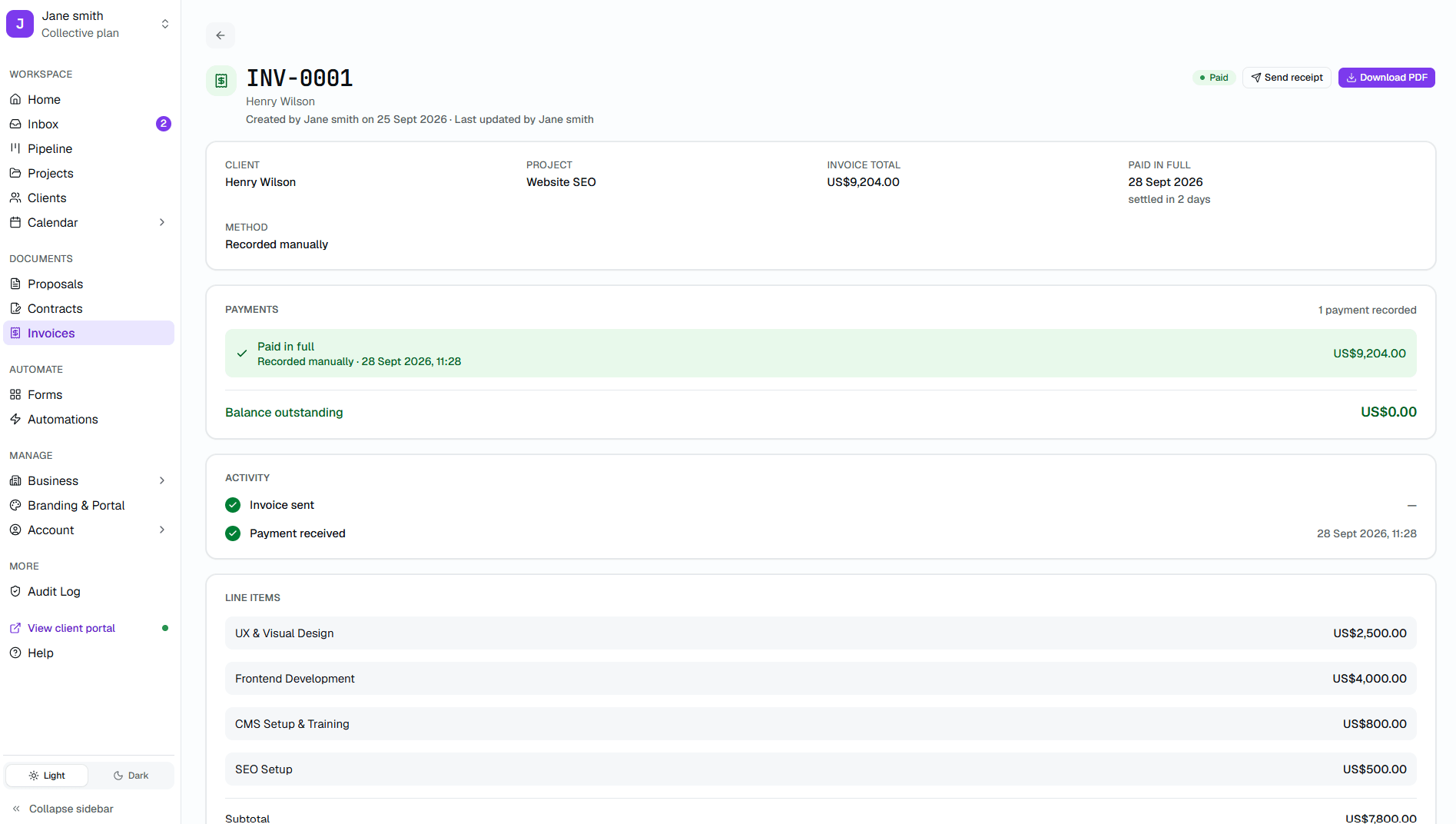
Once the invoice is paid, the balance is zero and the receipt is ready to send. Funds settle to your bank on Stripe's standard schedule, and Kwill never takes a cut of the payment.

  • Card payments
  • Zero Kwill fees
  • Instant receipts
Kwill paid invoice showing payment confirmation, line items, and zero balance outstanding
Freelancer dashboard
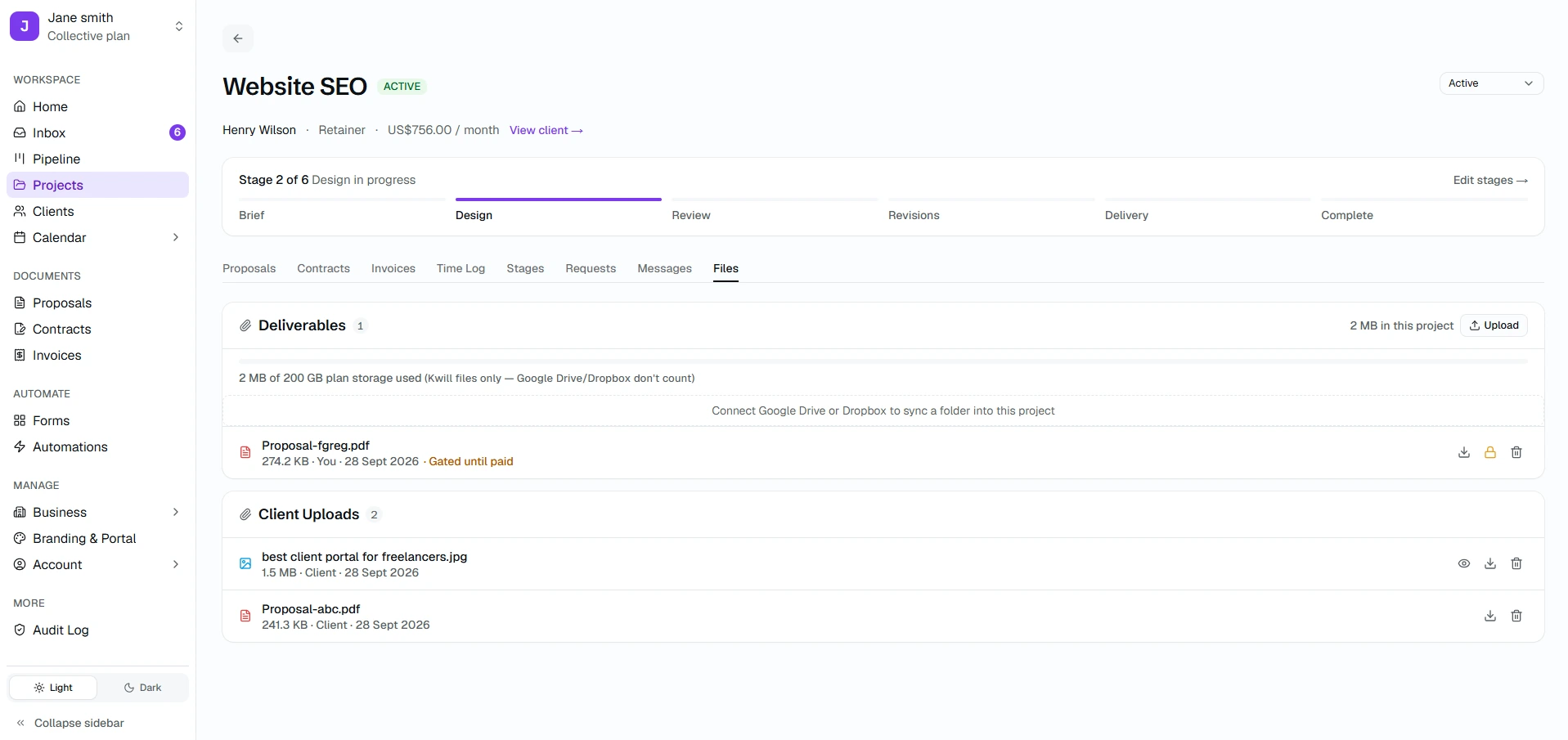
05Phase 4 Β· Deliver

Share files

Every project has its own file space. You upload deliverables, your client uploads briefs, and nothing important lives in an email thread.

  • 10 GB file storage on Independent
  • Drag and drop
  • Data isolation per client
Kwill freelancer project files screen showing file uploads and payment-gated access control
Freelancer dashboard
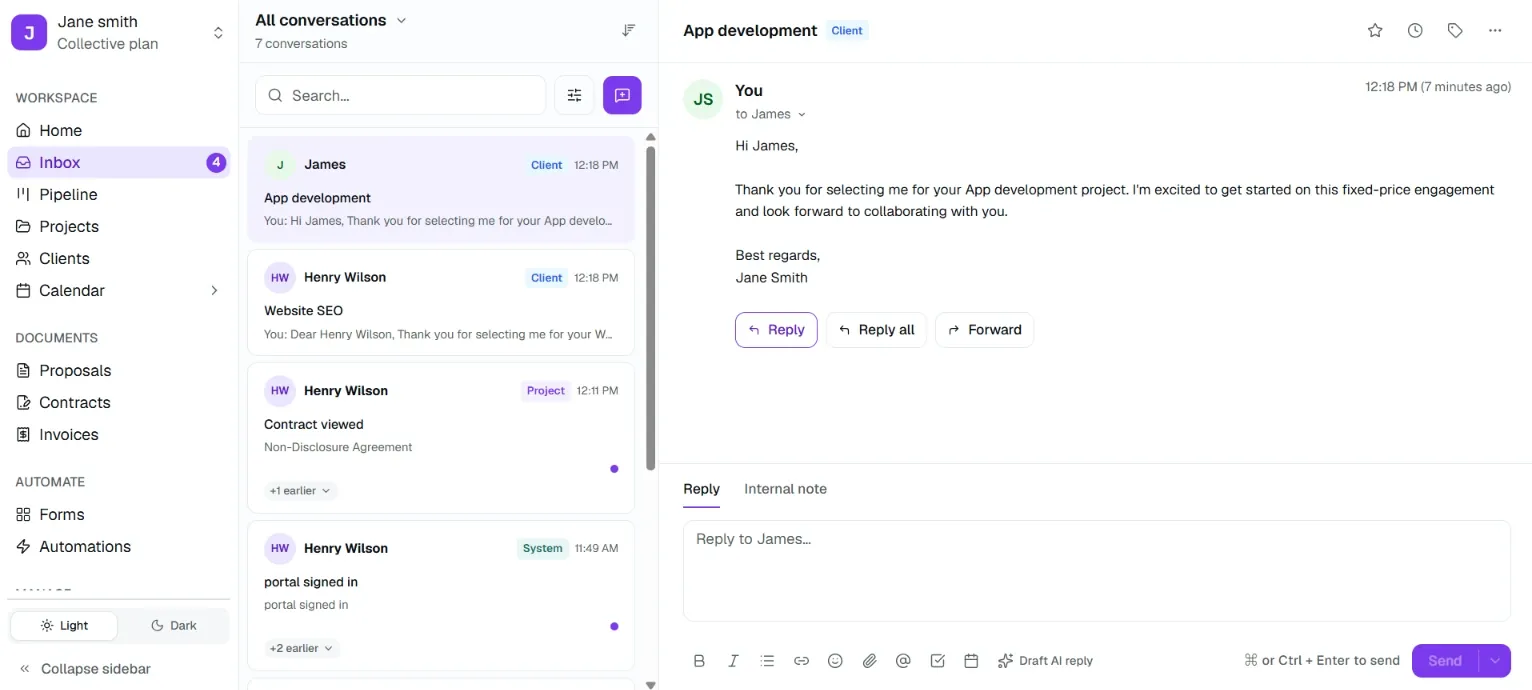
06Phase 4 Β· Deliver

Stay in sync

One messaging thread per project, tied to the work. No forwarding email chains, no digging through Slack for context you already had.

  • Real-time in portal
  • Email notifications
  • Searchable history
Kwill inbox showing client conversations for proposals, contracts, and project activity
Freelancer dashboard
No babysitting

What Kwill does while you’re working.

Four handoffs you never have to remember.

Automatic

Payment reminders

Sent on your schedule until the invoice is paid.

Automatic

Proposal β†’ contract β†’ invoice

Each accepted step creates the next document.

Automatic

Recurring invoices

Retainers bill themselves every cycle.

Automatic

Audit-log entries

Every document action recorded, without being asked.

Time to value

How fast this actually is.

Numbers already published elsewhere on the site, not new claims.

Under 30 minFrom sign-up to your first proposal sent.
~15 minTo brand your portal and connect Stripe. Once.
0%Kwill's cut of your payments. Stripe's own processing fees still apply.
FAQ

Common questions

Short answers. If something is missing, ask below or email us and we’ll update this page.

Instant FAQ Assistant
Answers from our help docs
Do my clients need a Kwill account?
No. They open the portal from a link you send, and can review, sign, and pay without creating an account.
How long until I can send my first proposal?
Under 30 minutes from sign-up, including branding your portal and connecting Stripe.
Kwill β€” The client portal built for the world's freelancers

Look like an agency of ten, even if you're a team of one.

Free to start. Takes 5 minutes. Your brand, not ours β€” in any currency, from any country.

How Kwill Works β€” What You Do, and What Your Client Sees