
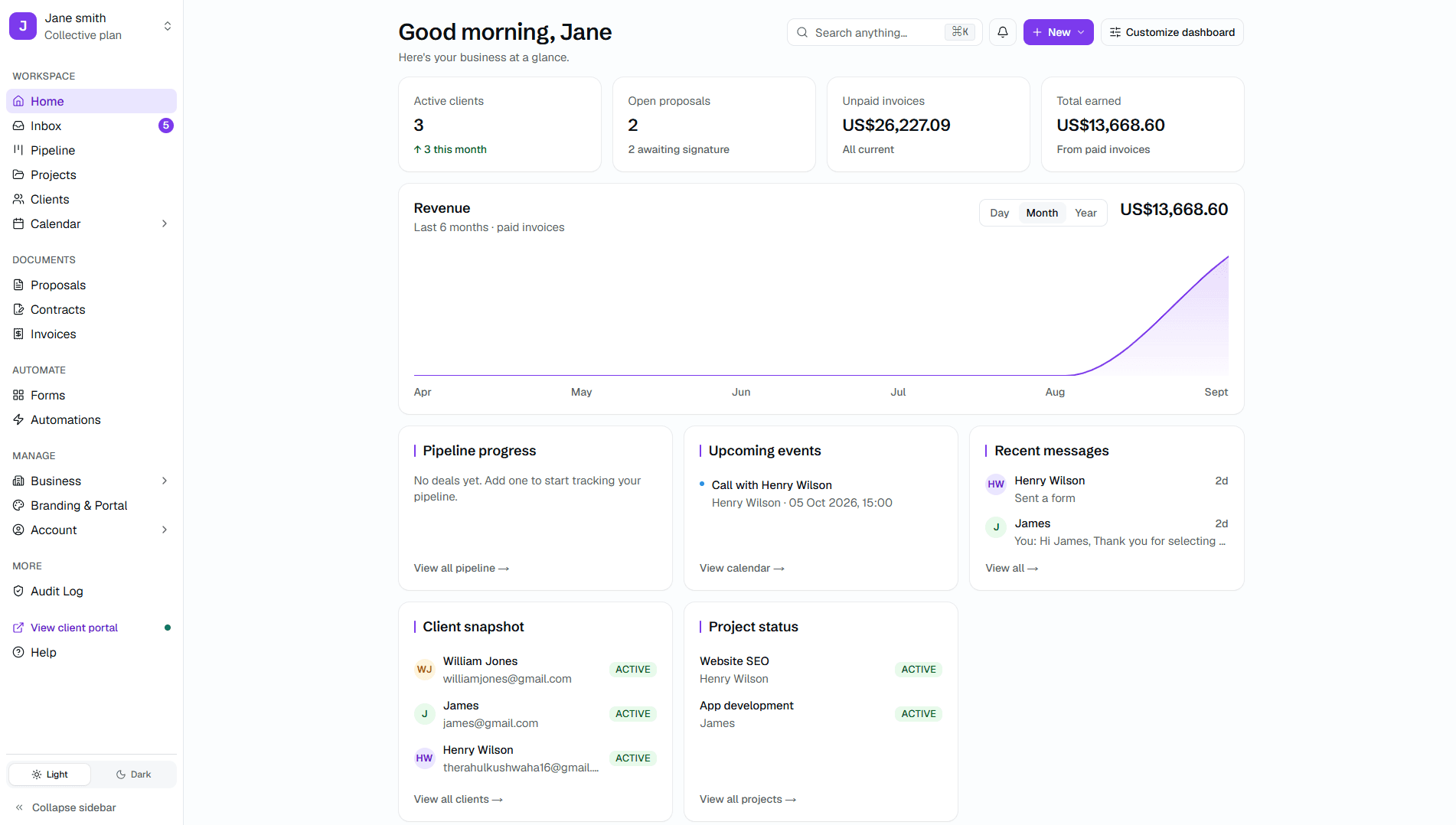
It all runs from one place
Proposals, signatures, payments and files, every piece wired to the same hub, under your brand rather than ours.
Automations
Toggle the common rules on, or build your own in the rule builder.
Gated delivery
Final files stay locked until the invoice is paid, then release themselves.
Custom portal domain
Point a CNAME at your own domain. We handle SSL and renewals.
Brand kit
Your fonts, colours, and logo on invoices, proposals, and the portal.
Recurring invoices
Retainers and packages bill themselves on the cycle you set.
Custom email domain
Notifications go out from you@yourbrand.com, not from Kwill.
Proofing
Clients pin comments straight onto the file and approve a version.
Audit log
Every send, sign, and payment logged with actor and timestamp.
Service requests
Clients raise new work from a form inside their own portal.
Team seats
Per-seat permissions on exactly what each teammate can reach.
API + webhooks
API keys and webhooks, so Kwill fires events into your own stack.
Client assignments
Control which teammate sees which client, account by account.
Team inbox
One shared thread per client, so nothing sits in a single inbox.
Multi-brand
A separate branded portal per sub-brand, run from one workspace.
Zapier (coming soon)
Connect Zapier and push Kwill into the rest of your tools — no code needed.
Legal templates
NDA, Service Agreement, IP Assignment, and Retainer.
Intake forms
Attach one to a proposal, or share it as a standalone link.
Real-time tracking
Project stages your client can follow, updated as the work moves.
Calendar
An internal calendar holding deadlines and milestones in one view.
Booking links
Your Calendly link, right where the client already is.
SSO / SAML
Sign in through the identity provider your organisation already runs.
DPA
A data processing agreement and a security review before you commit.
Custom SLA
Response guarantees written into the contract, not into a help page.
Hands-on migration
We move your data across for you, rather than handing you an importer.
PO invoicing
Invoicing by purchase order or bank transfer.
Branded portal
A portal at your own address, with your name on every screen.
Magic link access
Clients open the portal from a secure link. No password to manage.
E-signature
Proposals and contracts signed in the portal, legally binding.
13 currencies
Invoice and take payment in thirteen currencies through Stripe.
Platform import
Bring client records over from HoneyBook, Bonsai, or a CSV.
Full data export
Your data stays yours. Export all of it whenever you want to.
See how Kwill stacks up against other popular client management tools.
| Feature / Capability |  | HoneyBook | Dubsado | Bonsai |
|---|---|---|---|---|
| Free plan | Yes (3 proposals/mo) | No | No | No |
| Starting price | Free / $19/mo | $29 / mo (billed yearly) | $35 / mo | $15/mo |
| Setup time | Under 5 minutes | 2–4 hours | 4–8 hours | 1–2 hours |
| Multi-currency payments | Yes | USD only | USD only | No |
| Global availability | 46+ countries | US/CA | US/CA/UK | US/CA/AU/UK |
| White-label portal | Yes (Studio) | Partial | Yes | Higher plan ($39+/mo) |
| E-signatures | Yes | Yes | Yes | Yes |
Every feature, one page each
The full list of what Kwill does, with a page on each.
- Client portalYour brand, your domain — a portal clients actually want to use.
- MessagingClient conversations next to the proposal, contract, and files.
- ProposalsCreate professional proposals with pricing, add-ons, and AI drafting.
- ContractsSend agreements and collect legally binding signatures in the portal.
- PaymentsAccept credit cards and bank transfers with 0% Kwill fee markup.
- AI DraftDraft messages, proposals, contracts, and invoices with AI — and plan your day.
- AutomationTrigger the next step when a proposal is signed or an invoice is paid.
- Kanban CRMTrack deals from first inquiry to signed contract and paid invoice.
- File deliveryDeliver final files from the same portal as the contract and invoice.
- InvoicesBill the work, track payments, and get paid through Stripe.
- Team collaborationShare clients, assign roles, and collaborate under one Collective account.
- Custom email domainSend client notifications directly from you@yourbrand.com.
- CalendarKeep meetings and deadlines next to the rest of the client work.
- Time trackingTrack billable hours and turn them into invoices without a second tool.
- FormsCollect intake details before work starts — without email back-and-forth.
- Multi-currencyInvoice in 13 currencies with timezone-aware formatting.
- IntegrationsConnect the tools you already use to the client workflow.
- ImportBring existing clients and data into Kwill without starting from scratch.
- Audit logA clear history of important client and portal activity.
- EnforcementAutomated late-payment escalation that collects without confrontation.
- AnalyticsRevenue trends, client value, and pipeline health in one dashboard.
- Cash flowForward-looking forecast of money expected to come in.
- How it worksA step-by-step walkthrough of running client work in Kwill.
Still deciding?
Ask Kwill anything, or skim the questions we hear most.

Look like an agency of ten, even if you're a team of one.
Free to start. Takes 5 minutes. Your brand, not ours — in any currency, from any country.